
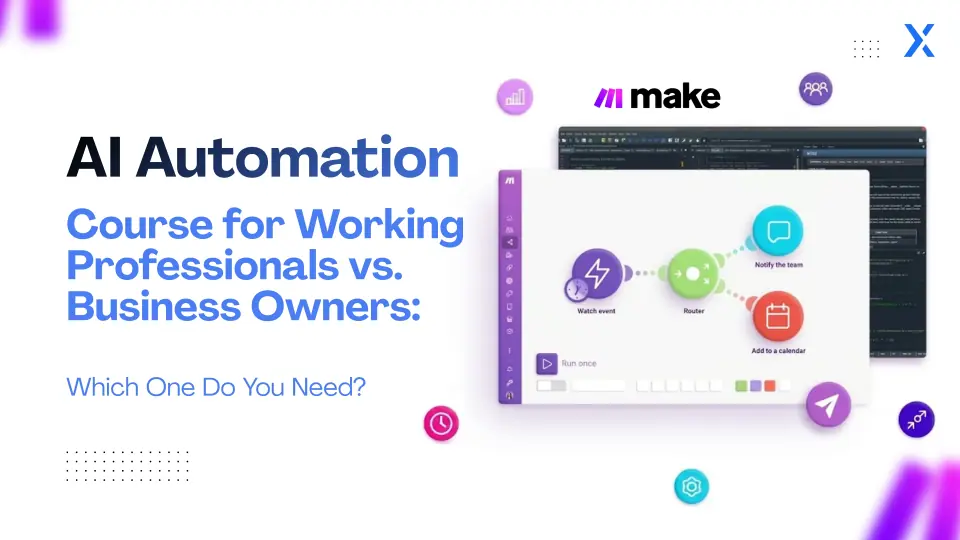
AI automation is a valuable skill for improving efficiency, business processes, and repetitive tasks. However, an AI automation course for professionals often has different goals than one for business owners.
For example, a marketing professional could concentrate on automating reporting, research, content workflows, and lead management. In contrast, a business owner may look to automate sales follow-ups, customer support, operations, reporting, and other routine business tasks.
So, which AI automation course is right for you?
The answer depends on what you want to automate and the result you want to achieve.
This guide covers the differences between AI automation for professionals and business owners, the key skills and tools to learn, practical examples, and tips for choosing the right training.
Priya used AI automation to simplify her team’s monthly reporting process. By connecting campaign data to an AI-powered summarisation tool, she reduced reporting time from several hours to just 15 minutes, freeing her team to focus on more creative work.
Ravi set up an AI-driven lead-qualification workflow that automatically responded to client inquiries and flagged high-priority leads. This helped him increase conversion rates and respond to customers much more quickly.
These examples show how the right AI automation can drive improvements for both professionals and business owners, and they lead into a closer look at which course fits each group.
Quick Answer: Which AI Automation Course Should You Choose?
If You’re a Working Professional
Look for an AI automation course that helps you boost personal productivity, automate tasks specific to your role, use AI tools, and apply no-code automation in your daily work.
If You’re a Business Owner or Entrepreneur
Pick AI automation training that covers business process automation, sales, marketing, customer support, operations, AI agents, workflow integration, and ways to measure business results.
If you’re not sure where to start, begin with the basics. Learn how to use prompts and AI tools, then move on to workflow automation and AI agents so each step builds on the last.
If you’re new to this, check out our guide to ChatGPT automation and no-code AI workflows. It explains how AI can work with the tools you use every day.
What Is an AI Automation Course?
An AI automation course shows you how to use artificial intelligence, automation platforms, and connected apps to manage repetitive or multi-step tasks with less manual effort, and it explains the workflows that follow.
This difference matters because today’s AI automation combines workflow logic with AI features such as text generation, classification, summarisation, information extraction, and decision support, which sets up the course material that follows.
A good AI automation course should therefore cover more than individual AI tools. It should teach you how to identify repetitive tasks, design workflows, connect applications, automate testing, and improve workflows based on results, so the lessons build toward practical use.
AI Automation Course for Working Professionals
Working professionals usually have different objectives than business owners. Instead, you may want to reduce repetitive work within your role and spend more time on tasks that require judgment, communication, analysis, and decision-making.
What Should Professionals Learn in an AI Automation Course?
A useful AI automation training program for professionals should cover:
The best tools depend on your job, and the right choice can make the workflows below easier to implement. For example, marketers often use Zapier to build no-code workflows and ChatGPT for content creation and research. Sales professionals might use HubSpot CRM with Zapier or ChatGPT for lead insights. HR teams can use Make to automate candidate processes and ChatGPT for resume parsing. Finance professionals may start with Zapier or Make to automate spreadsheets and document tasks. Project managers often find Make or Zapier useful for linking project management apps with AI summarisation using ChatGPT. Picking a tool that fits your role helps you see results faster.
What Can Working Professionals Automate With AI?
Here are practical examples that show how different roles can apply AI automation:
Marketing Professionals
You could automate content brief generation, keyword research workflows, campaign reporting, competitor research, lead qualification, content repurposing, social media workflow preparation, and marketing data summaries.
Sales Professionals
AI automation can help with lead qualification, CRM updates, follow-up reminders, email draft generation, meeting summaries, lead research, and sales report preparation.
HR Professionals
HR teams can automate resume information extraction, candidate categorisation, interview scheduling, job description preparation, candidate communication, employee FAQ workflows, and recruitment reporting.
Finance Professionals
Potential workflows include invoice information extraction, financial report summaries, spreadsheet processing, expense categorisation, recurring report preparation, and data validation workflows.
Project Managers
Project managers can automate meeting summaries, task creation, status reports, project updates, reminder workflows, documentation, and action-item tracking.
Benefits of AI Automation for Working Professionals
- Productivity: Automate repetitive digital tasks.
- Workflow design: Learn how different applications can work together.
- AI literacy: Understand where AI tools are useful and where they are not.
- Problem solving: Identify repetitive processes you can improve.
- Career development: Add automation skills to your existing professional expertise.
- Better use of time: Spend less time on administrative work and more on strategic responsibilities.
How much time you save depends on your role, the complexity of your workflow, the quality of your automation, and how often you perform the task.
AI Automation Course for Business Owners
Business owners often have wider goals than automating individual tasks. Rather than automating one person’s daily tasks, you may seek to improve an entire business process.
The main goals are often to boost efficiency, speed up response times, increase consistency, expand operations, or lower costs.
What Should Business Owners Learn?
💡 Where to start: Business owners should focus on automating processes that lead to clear business results. If you’re starting, try automating lead qualification or reporting first. These are high-impact areas that can quickly save time, minimise manual errors, and boost efficiency.
What Can Business Owners Automate With AI?
1. Lead Generation and Qualification
Website enquiry → capture lead → AI analyses enquiry → qualify lead → add to CRM → notify sales team. This setup reduces manual drag and prevents leads from going cold.
2. Sales Follow-Ups
Identify follow-up requirement → retrieve customer information → generate draft → schedule or route communication → update CRM. You can add human approval before sending important messages.
3. Customer Support
Receive inquiry → identify topic → retrieve relevant information → draft response → route complex issues to a human. Essential for scaling 24/7 responsiveness.
4. Marketing Operations
Content workflows, campaign reporting, lead routing, customer segmentation, email preparation, and performance reporting. For businesses already using AI for marketing, our AI-driven digital marketing guide offers an extensive breakdown.
5. Business Reporting
Collect data → process data → AI summarises findings → generate report → deliver report across departments.
How Do You Measure AI Automation ROI?
Business owners should measure automation by the results it brings, not just by how many workflows they set up. Useful metrics include:
For example, if a business spends 20 hours per week on a repetitive process and values that work at ₹500 per hour:
20 × ₹500 = ₹10,000 of labour value per week. The real financial benefit depends on whether you can use those saved hours for revenue-generating work or lower operating costs.
AI Automation for Professionals vs Business Owners
The simplest way to see the difference is to look at the learning goals and execution scope for each path:
| Factor | Working Professionals | Business Owners |
|---|---|---|
| Primary goal | Improve individual productivity | Improve business operations |
| Main focus | Role-specific workflows | End-to-end processes |
| Typical use | Reports, emails, research, data | Sales, marketing, operations, support |
| Key outcome | Time saved and better output | Efficiency, scalability and ROI |
| AI skills | Prompting, AI tools, workflows | Workflow automation, AI agents, business systems |
| Automation scope | Individual or team | Department or organization |
| Important skills | AI productivity and workflow design | Process mapping and automation strategy |
| Coding required | Often no | Often no for no-code workflows |
| Success metric | Time saved and quality | ROI, cost, speed, and capacity |
| Best starting point | Automate one repetitive task | Automate one measurable business process |
Which AI Automation Tools Should You Learn?
You don’t need to learn every AI automation tool out there. Start with the tools that fit your specific goals.
ChatGPT
Useful for text generation, summarisation, research assistance, classification, content workflows, information extraction, and decision support.
ChatGPT prompting is often the first step, but workflow automation connects AI to your whole tool stack via triggers and actions:
New form submission → AI processing → CRM update → email notification
n8n, Zapier & Make
Visual workflow builders allow you to connect applications, APIs, AI models, databases, and business systems without code. n8n offers powerful self-hosted capabilities and complex branching for granular control.
For an exhaustive tool comparison, read ChatGPT Automation Tools: Best No-Code AI Workflow Tools for Beginners.
AI Agents
AI agents go beyond a simple fixed workflow. Depending on how they are designed, an AI agent can interpret a goal, use available tools, make decisions, evaluate information, and perform multiple steps dynamically.
Do You Need Coding Skills to Learn AI Automation?
No, you do not always need coding skills to get started with AI automation. Visual automation platforms allow beginners to construct multi-step pipelines:
However, coding becomes valuable when you scale into:
- Custom API integrations
- Elaborate data processing
- Custom software applications
- Advanced AI systems
- Backend web services
- Custom agent architectures
- Production-scale deployments
- Database schema orchestration
For non-technical professionals and business owners, starting with no-code automation provides a practical foundation before moving into more technical systems.
AI Automation Course for Beginners
If you are completely new to AI automation, avoid starting with complex multi-agent systems. A disciplined, sequential learning path is much more effective:
Learn AI Fundamentals
Understand generative AI, LLMs, prompt structures, context windows, limitations, and responsible AI guardrails.
Learn Prompt Engineering
Master giving AI explicit instructions, role parameters, constraints, few-shot examples, and strict output formatting.
Learn Workflow Automation
Connect AI with core tools such as email, spreadsheets, Google Forms, CRM platforms, Notion, and Slack.
Build Real Workflows
Start with one real repetitive process. For example: Email → AI summarisation → Google Sheet → notification.
Learn AI Agents
Once workflow logic is clear, move into agent-based systems that can parse goals, use tools, and loop until finished.
Build a Portfolio
Document the problem, workflow architecture, tools used, results achieved, and limitations of each automation.
How to Choose the Right AI Automation Course
Before signing up for any program, consider whether the curriculum matches your career or business goals:
Look for a course where you actually build workflows, not just watch passive video tutorials.
Check whether the curriculum teaches modern tools like n8n, Zapier, Make, and real AI models.
Ensure projects cover sales, marketing, support, and document processing.
Visual automation helps you grasp architecture without getting lost in boilerplate syntax.
Learn the distinction between fixed rule triggers and autonomous agent execution.
Graduate with tangible proof of automations you built and deployed.
Live mentor feedback is indispensable when debugging multi-app integrations.
Earn credentials that help validate your skills to employers or clients.
AI Automation Skills for Career Growth
AI automation compounds the domain expertise you already possess. You do not need to become a deep learning research engineer to extract immense professional value:
Combining these capabilities prepares you for high-demand roles like marketing automation specialist, process improvement lead, business analyst, and operations architect across tech, finance, healthcare, and retail. For a broader career plan, review our Generative AI Roadmap 2026.
Professionals or Business Owners: Which Learning Path Is Right for You?
Use this decision rubric to pick your course:
Choose a Professional-Focused Path if:
- • You want to improve personal daily job performance.
- • You spend hours weekly on repetitive manual tasks.
- • You want to automate reports, research, or email communication.
- • You want to add future-proof AI skills to your existing resume.
Choose a Business-Focused Path if:
- • You own or operate a company with team workflows.
- • You want to automate lead qualification, sales routing, or support.
- • You want to lower operating expenses and manual error rates.
- • You need to track and measure concrete automation ROI.
Choose a Broader AI & Agent Track if:
- • You want to build full autonomous agent applications.
- • You want to combine Generative AI models with multi-step workflows.
- • You are planning a complete career transition into AI product or solutions engineering.
What Should You Automate First?
Do not start by asking: “What AI tool should I learn?”
Start by asking: “What repetitive process is costing me the most time right now?”
- 1. What triggers the process?
- 2. What input information does it require?
- 3. Which steps are performed manually vs. require AI reasoning?
- 4. Which steps follow fixed deterministic rules?
- 5. Where must human review or approval happen?
- 6. What destination system receives the final result?
- 7. How will you calculate and measure time saved?
What Does a Good AI Automation Course Look Like?
A strong AI automation course should take you beyond simple prompt tutorials into end-to-end operational mastery. You should learn how to:
How AcceleratorX Approaches AI Automation
AcceleratorX’s program combines generative AI, workflow automation, no-code AI, and AI agents. Its curriculum covers practical AI automation with n8n, no-code applications, business-focused AI agents, AI strategy, governance, and real-world project portfolios.
The program separates learning into technical and business-oriented tracks — covering no-code AI systems, AI strategy, ROI modelling, document intelligence, governance, and business operations. This structure ensures you learn both the technology and how to apply it directly to your job or company.
Review the full curriculum at the AcceleratorX Generative AI and AI Agent Course.
Frequently Asked Questions About AI Automation Courses
Final Decision: Which AI Automation Course Is Right?
If your goal is to become more productive in your current role, focus on AI tools, prompting, workflow automation, and role-specific applications. If your goal is to improve your business, focus on business process automation, CRM workflows, customer support, and ROI measurement.
- 1. Identify one repetitive process in your work or business that would immediately save time.
- 2. Shortlist 1–2 AI automation courses that fit your experience level and goals.
- 3. Map out the key steps in that process and outline what you hope to achieve with automation.